Introduction
Indri is a powerful IR tool. For more information, you can go to their home page. To be mentioned in this article, although they assert that it can be set up on Windows, it is quite a hard work. As a result, I wnat to write down the process about how to set it up on windows. more
However, I still recommend you to use Indri through Linux system if it is possible. It is very convenient to set up a virtual machine, and installing Ubuntu is just a piece of cake nowadays. If you still insist in using it in windows like me, below I will show you how to deal with all troubles when using Visual Studio to build the solution in Indri directory.
Tobe mentioned, if you use linux, tou can just run the scripts below to set it up. To check if you set up successfully, you can directly jump to this part
sudo apt-get update
sudo apt-get install libz-dev
sudo apt-get install g++
sudo apt-get install zlib1g-dev

wget https://sourceforge.net/projects/lemur/files/lemur/indri-5.11/indri-5.11.tar.gz
tar xzvf indri-5.11.tar.gz
cd indri-5.11
./configure
make
sudo make install
Download and unzip Indri
download: From this page, You can download indri-5.11.tar.gz.
unzip: The tool I use is 7-zip. To be mentioned, it is recommended to open 7-zip first and use browser in 7-zip to change your directory to where you download Indri and then unzip it.
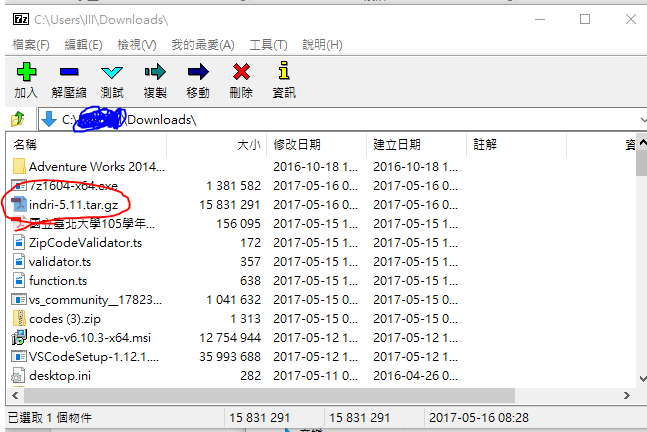
Then You can get this folder, and use Visual Studio to open indri-VS2012.sln.(I have tried both VS2015 and VS2017 can deal with this solution file)

Build in Visual Studio
When going in to VS, you will first be called to update some packages, and just click yes.Then you’ll get Program Manager window below.
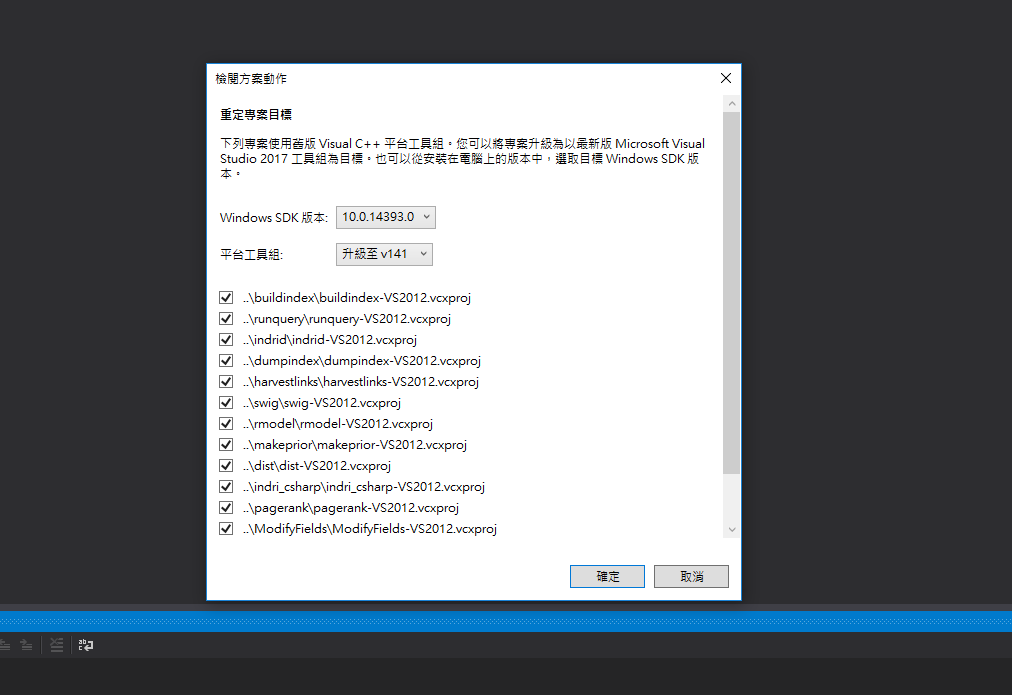
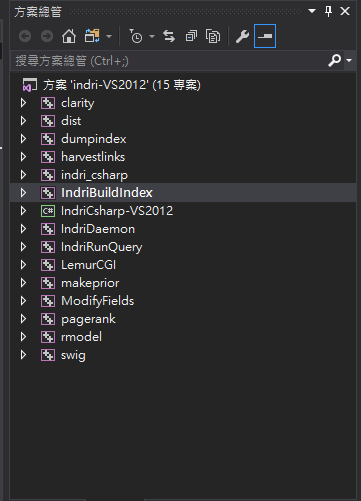
(You can ignore this paragraph) If you are interested in how to debug of this solution, you can first rebuild all solution first. Just right click on solution’Indri-VS2012’(15 Projects) and click rebuild. Then you’ll get three kinds of bugs in the following files.
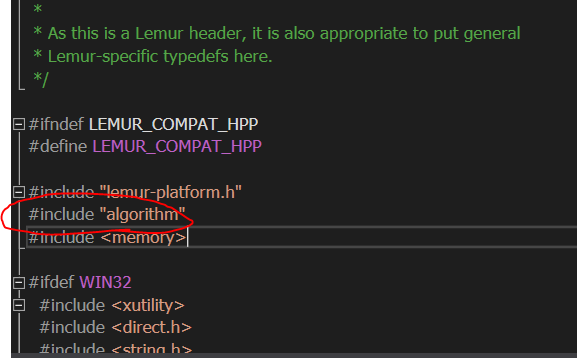
(clarity)lemur-compat.hpp and (dist)SequentialReadBuffer.hpp
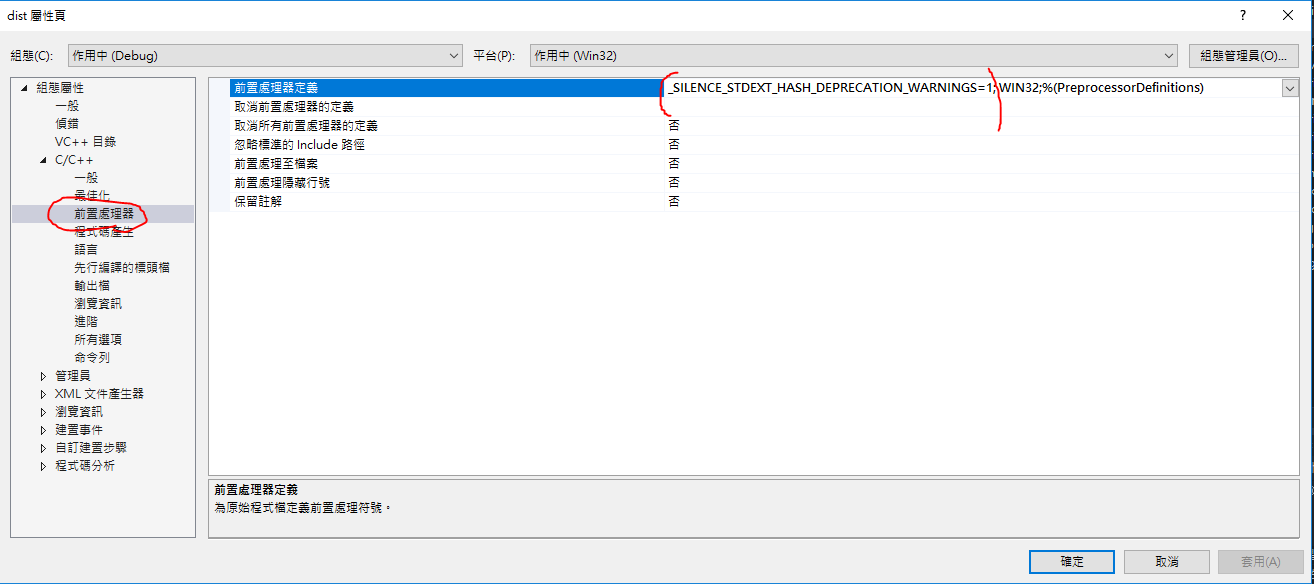
(dist)hash_set or hash_map
(swig) indri_jni.cpp
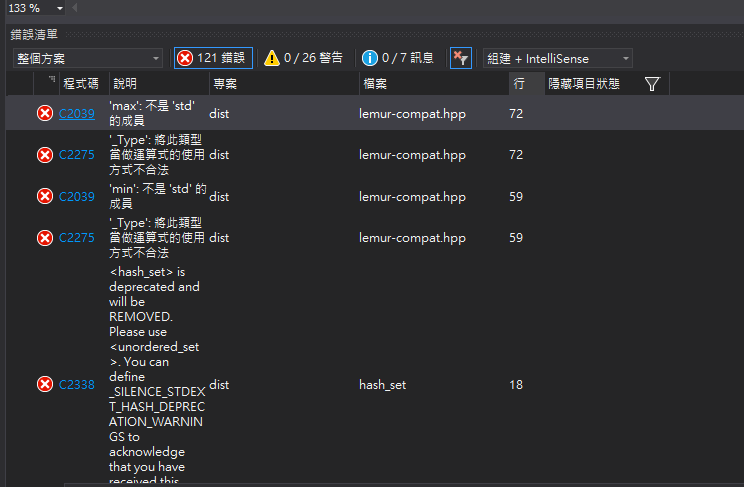
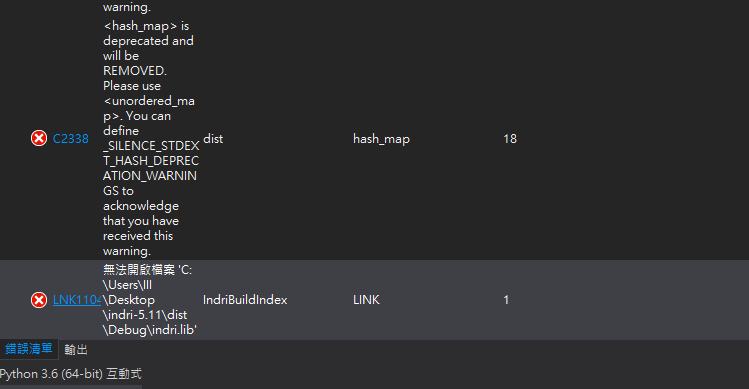
Solutions to three kinds of bugs
go to lemur-compat.hpp and SequentialReadBuffer.hpp, on the Top of the file add “#include <algorithm>”
In the Program Manager window: Right click dist >property >c++ >preprocessor definition> add “_SILENCE_STDEXT_HASH_DEPRECATION_WARNINGS=1;” befor all words.
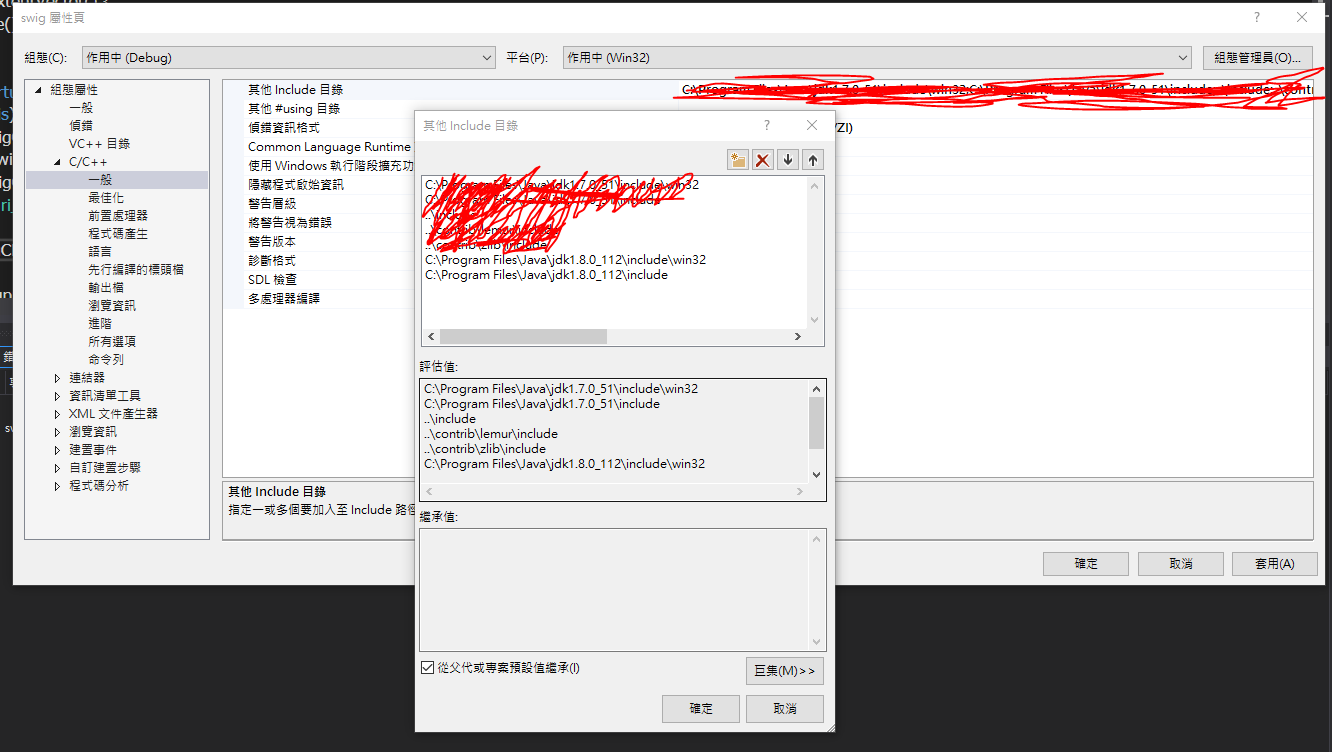
Add your java sdk path to: Right click swig >property >C++ >Other include directories. Remember to add two path: one is \jdkxxx\include, another is jdkxxx\include\win32.(If you haven’t install java sdk, you have to deal withh the problem yourself)
Finally
Rebuild all Solution
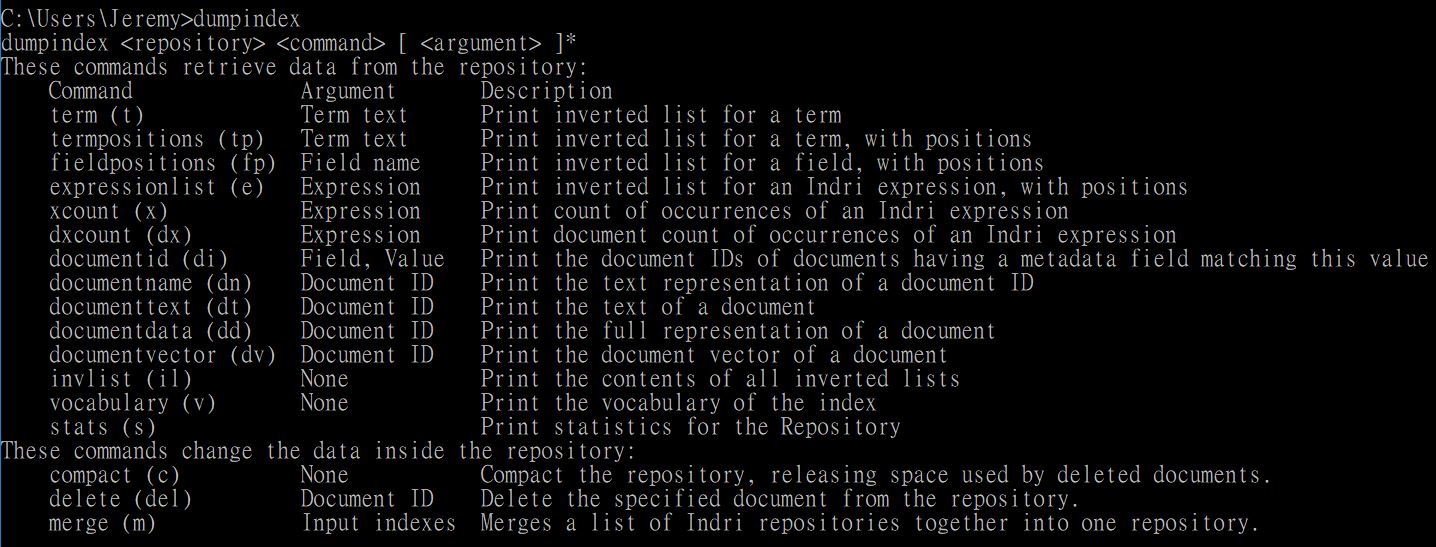
use command line to test if it is set up successfully. you can type in: $ dumpindex and you’ll get: